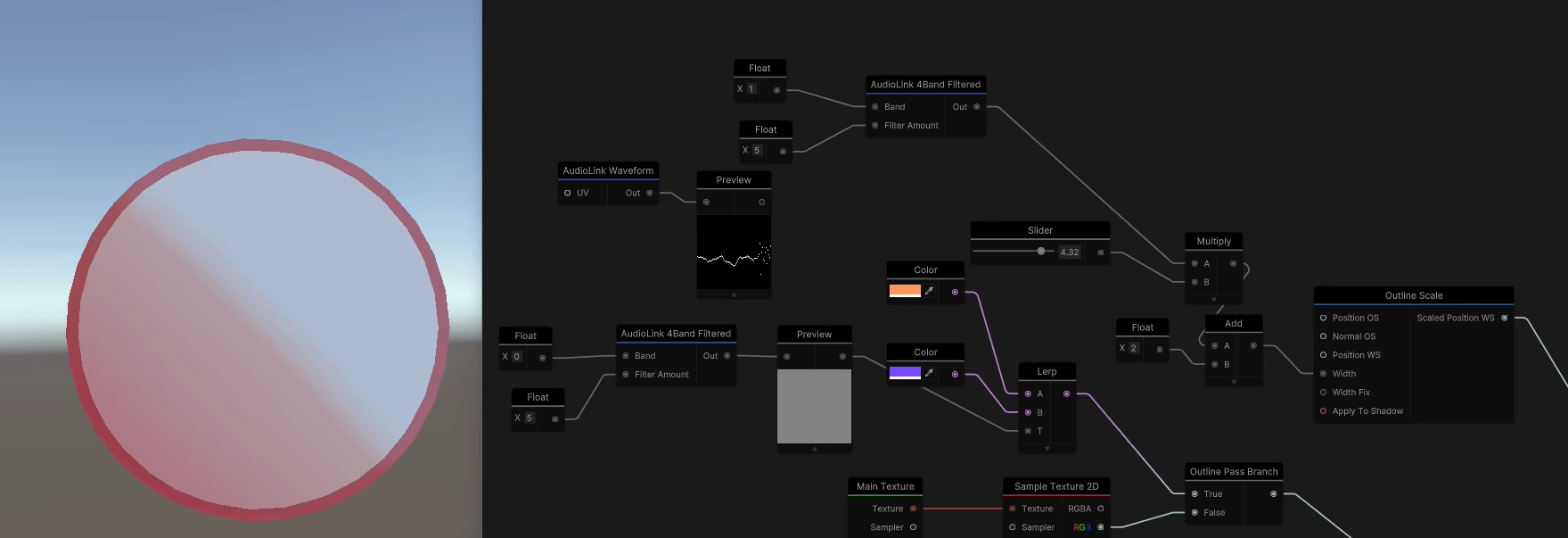
Toon
Toon shaders are implmented using Custom Lighting instead having predetermined outputs like the PBR Lit graph. This allows for much more control which is generally needed with toon.
This also works well with Live Previews.
Options like outlines can't be controlled on the material so this way you can also enable them at the shader generation level.

Sample Shader
You can start by modifying the sample Create -> Graphlit -> Toon Graph or fully implmenet it from scratch.
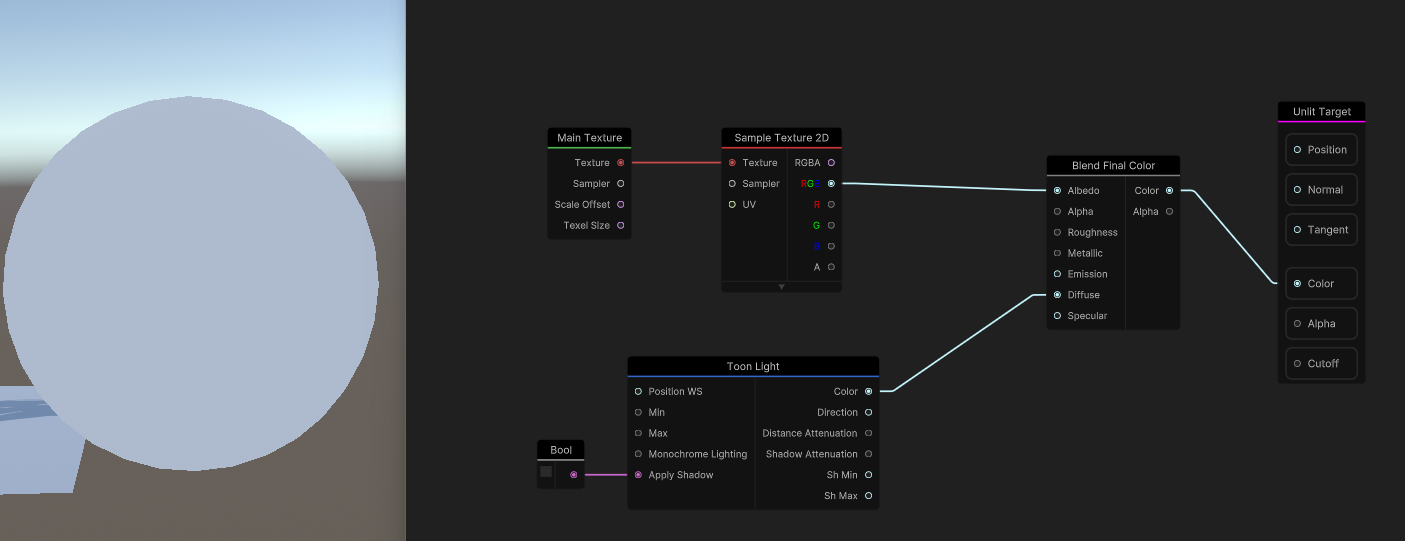
Flat Lit
Use the Color output of the Toon Light node.
This node is based on Open Lit and returns averaged color of light probes and lights, which can be used as a base for toon shading.
This is already a fully functioning shader.
Enable Apply Shadows to receive realtime shadows.
Shadow Layers
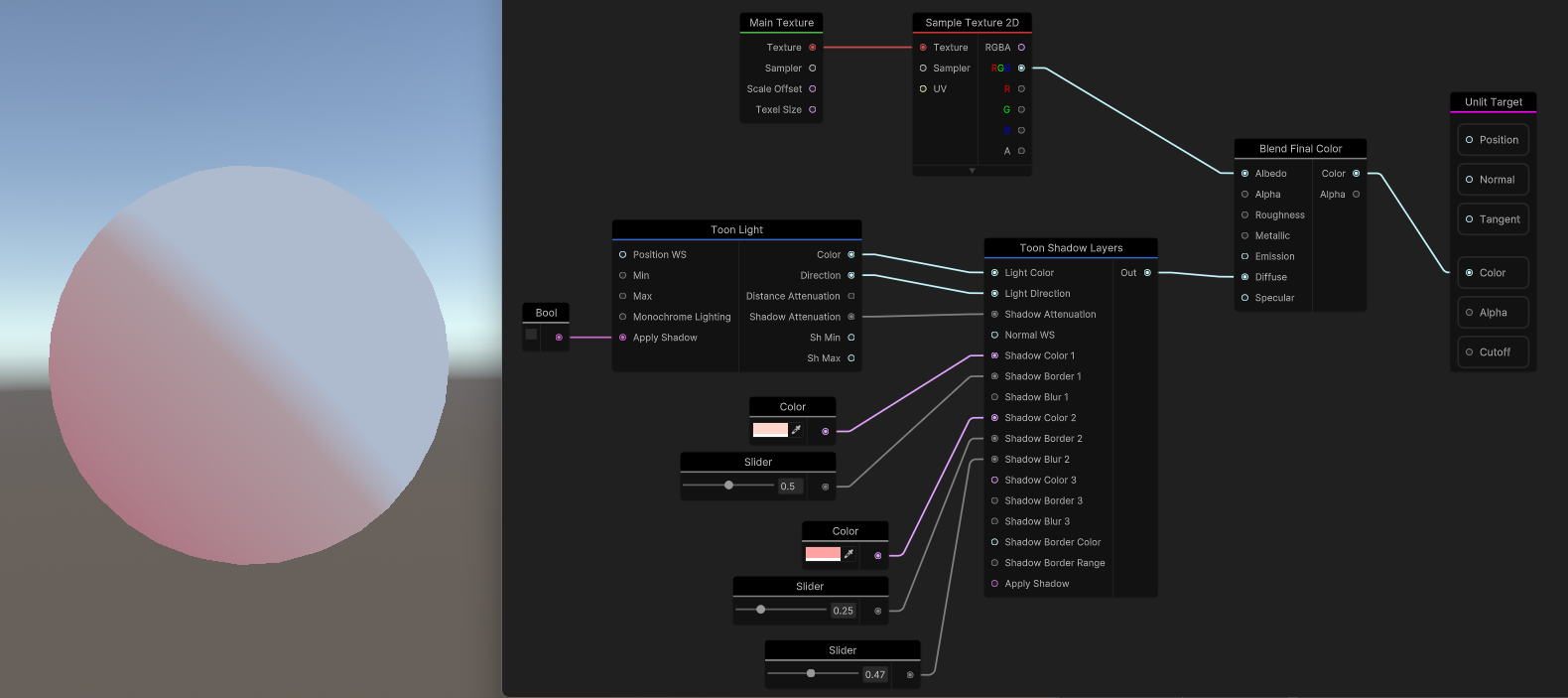
Add the Toon Shadow Layers node.
Outlines
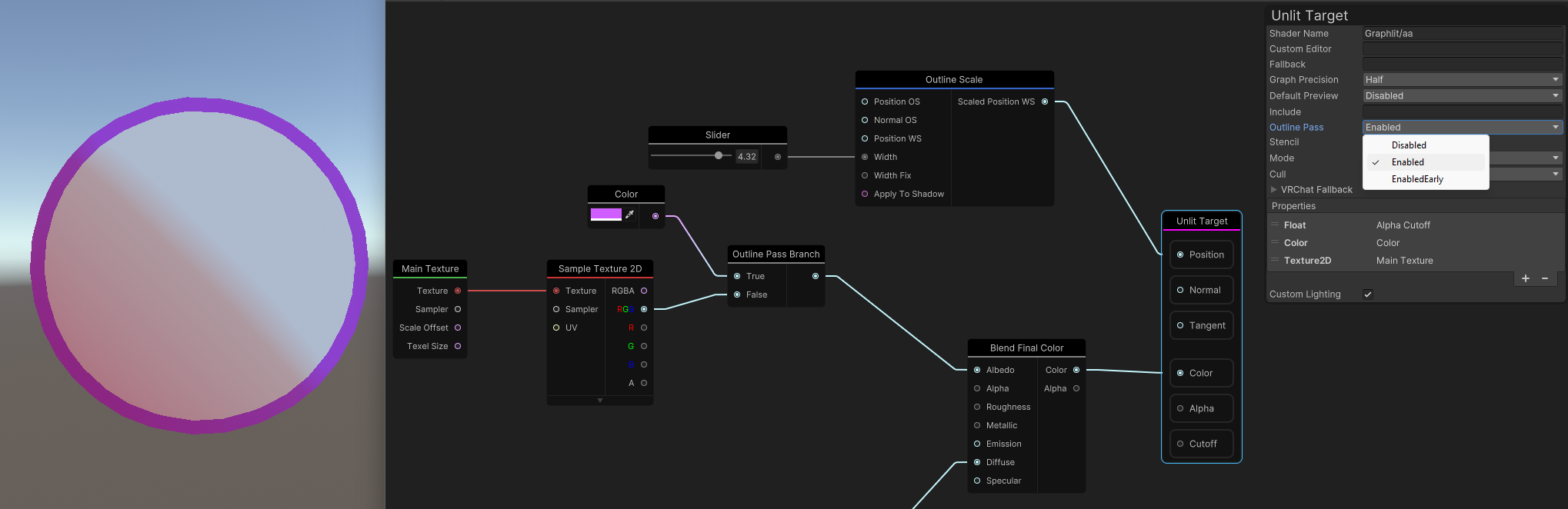
Enable outlines on the master node and use the Outline Scale node to scale them based on vertex normals.
Use the Outline Pass Branch to customize the outputs of the outline pass.
This can be used for example to set a different color for outlines from the base pass.
Outline Mask Texture
To control outline thickness per vertex:
- Add a
Sample Texture 2D LODnode to sample an outline mask texture- In a vertex shader the regular
Sample Texture 2Dfunction is not available because it requires automatic LOD calculation based on pixel derivatives, which don't exist at the vertex stage Sample Texture 2D LODlets you explicitly specify the mip level (0 by default)
- In a vertex shader the regular
- Multiply a single channel from the grayscale outline mask texture with an outline width property
- Connect it to the
Widthinput on theOutline Scalenode
This allows you to have fine-grained control over which parts of the model display thicker or thinner outlines.
Stylized Specular
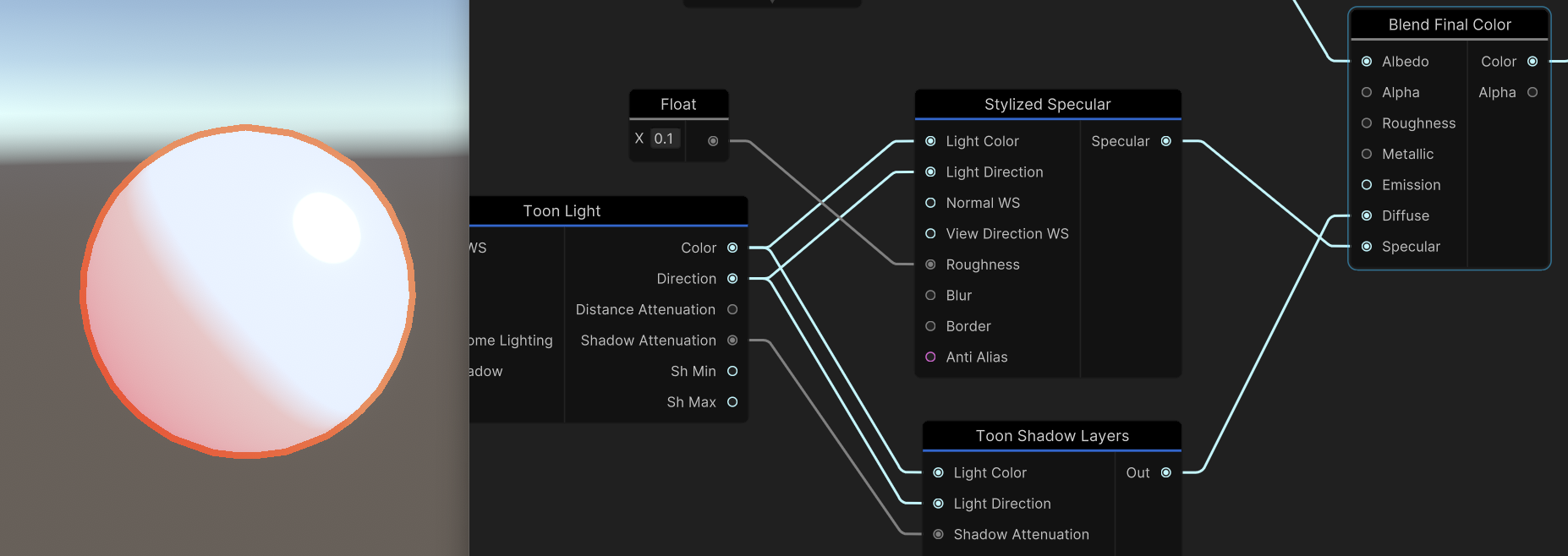
Connect the Stylized Specular node to the Toon Light and output to Specular
Transclipping
Using the Transclipping rendering mode you can fix certain transparency issues. This mode allows receiving shadows.
Audio Link
Use it to adjust any variable.